Not a finance pro? You’re in the right place. The best budgeting apps for beginners are made for real life, including messy paydays, shared bills, and trying to save without giving up coffee.
Whether you’re starting from scratch or rebooting your budget, these apps make it easier to build better money habits without stress.
Let’s dive into the easy budgeting tools that can help you get organized and stay on track.
1. You Need a Budget (YNAB)
Best for: Building a proactive budgeting mindset
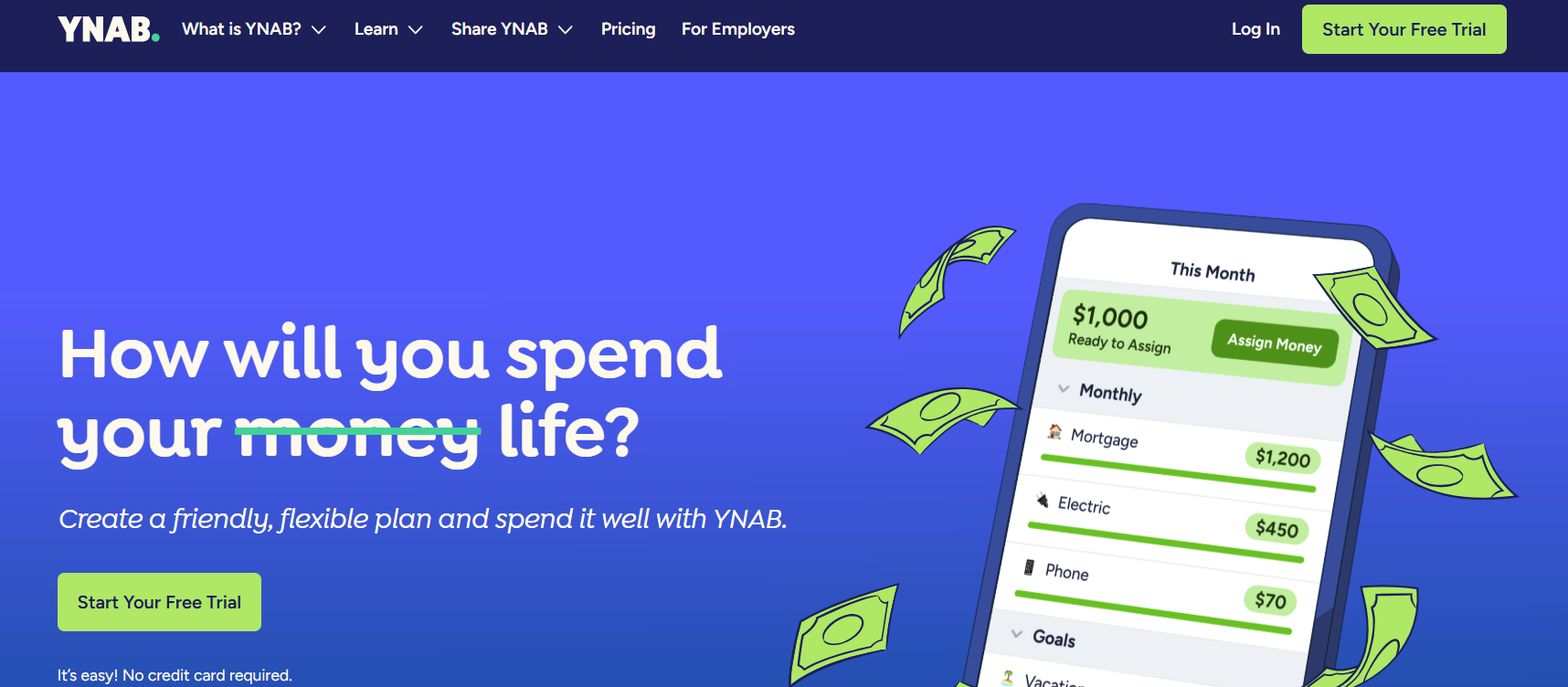
YNAB follows a zero-based budgeting method. You assign every dollar a job the moment it hits your account, whether that’s for rent, groceries, or savings goals. It’s ideal if you want to track your spending closely and plan.
Got a variable income? YNAB helps you budget around paychecks and break the paycheck-to-paycheck cycle.
Pros:
- Proactive money planning
- In-depth reports and progress tracking
- Excellent educational resources and workshops
Cons:
- Steep learning curve at first
- $14.99/month or $99/year after free trial
2. Simplifi by Quicken
Best for: Beginners who want automation and visual clarity
Connect your accounts, and Simplifi does the rest, including categorizing transactions, forecasting cash flow, and tracking subscriptions. You can set savings goals and see your “left to spend” amount in real time.
It’s perfect for students or working adults juggling multiple bills and wanting a simple money tracking app that looks clean and updates automatically.
Pros:
- Easy to navigate
- Tracks recurring bills and subscriptions
- Offers future cash flow projections
Cons:
- No free version (starts at $2.99/month)
- Fewer customization options than YNAB
Read More: The 50/30/20 Budget Rule—Does It Work in 2025?
3. PocketGuard
Best for: People who want to know what’s safe to spend
PocketGuard connects to your bank and shows you a daily “safe to spend” number after subtracting bills, savings, and subscriptions. It’s a great app to help save money passively.
Say you’re trying not to overspend at Target. Open PocketGuard before shopping to see exactly how much is safe to use.
Pros:
- Free plan available
- Simple interface with automatic syncing
- Helps cancel unwanted subscriptions
Cons:
- Limited custom categories
- Occasional bank syncing delays
Read More: Planning for a Trip: How Much Should You Really Save?
4. Honeydue
Best for: Couples or roommates who split expenses
Honeydue lets each person link their own accounts and track shared bills like rent, groceries, or utilities. You can tag expenses, send reminders, and even message within the app.
If you’re trying to manage rent and grocery bills with a partner or roommate, this app shows who paid what. No awkward “did you Venmo me?” texts needed.
Pros:
- Built for two users
- Split expenses easily
- Bill reminders and alerts
- Free to use on iOS and Android
Cons:
- Not built for solo users
- Lacks long-term financial planning tools
5. Goodbudget
Best for: Envelope-style budgeting without linking your bank
You manually create digital “envelopes” for different categories like gas, eating out, or gifts, and record spending by hand. It’s a good option for those who prefer cash-style control in a digital format.
If you want to spend only $200 a month on takeout, you can create an envelope and track every order manually. It adds awareness and accountability.
Pros:
- Doesn’t require bank syncing
- Works well for shared household budgets
- Encourages mindful spending
Cons:
- Manual entry can be tedious
- Free plan is limited to 10 envelopes
Smart Budgeting Starts With a Goal
Your budgeting app should fit your lifestyle and your money goals. Whether you’re saving for a weekend getaway or trying to build an emergency fund, setting a clear target makes all the difference.
Start with something simple, like our 3-month savings challenge, and pair it with an app that supports your progress.
No Finance Degree Required
Whether you want a budget that tracks itself or one that makes you stop and think, there’s an app here that’ll fit your flow. The best budgeting apps for beginners aren’t the most complicated, but ones you’ll want to open.
Try a few, test the features, and give it a solid month. Your budget doesn’t need to be perfect. It just needs to be yours.
Read More: How to Save Money on Home Renovation